Sports clips explained: what they are and how to use them
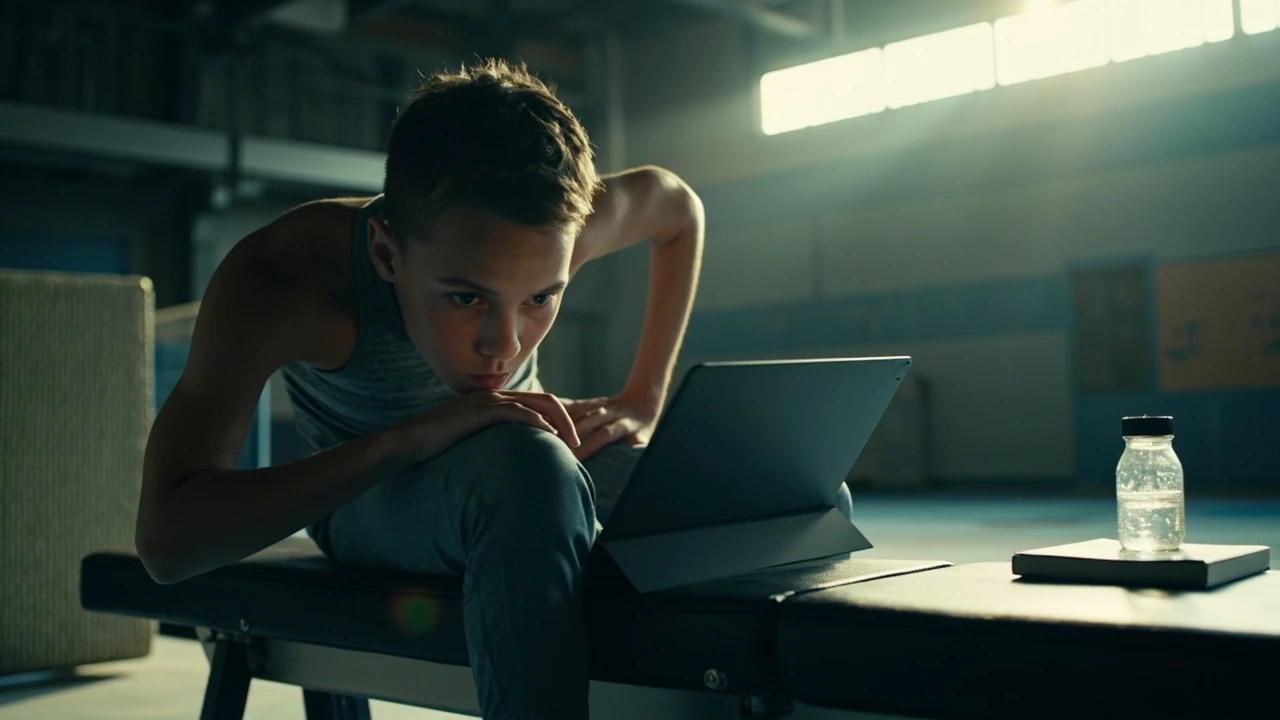
A coach holds a tablet out to a thirteen-year-old gymnast after a beam set. The screen shows twelve seconds of footage: a slightly bent landing, a hip angle that drops a fraction too early, the moment where momentum leaks out of the routine. The gymnast watches, nods, and heads back to the line. That short piece of video is a sports clip, and the work it just did in thirty seconds would have taken a verbal coach ten minutes and probably an argument. Sports clips are now a default tool in athlete development, recruiting, content marketing, and even amateur performance review, but the term is loose and the workflow behind it is more specific than the phrase suggests.
This article explains what sports clips actually are, who uses them, how they are captured, edited, and shared, and where the legal and practical lines sit. It is written for coaches, athletes, parents, club managers, and content creators who want a clear working definition rather than a marketing pitch.
What counts as a sports clip
A sports clip is a short video segment that captures a specific moment, action, or sequence within a sport, intended to be watched, analysed, or shared on its own. The phrase covers everything from a three-second slow-motion view of a kick to a forty-five-second montage of meet highlights, and the definition is intentionally broad because the same format serves very different goals.
Three characteristics separate a sports clip from general sports video:
- It is short. Most working sports clips run between two and sixty seconds. Anything longer usually moves into highlight reels, full routines, or match recordings.
- It is purpose-built. A clip exists to show a specific thing: a clean rep, a technique error, a scoring moment, a recruiting moment, or a teaching example.
- It stands alone. A viewer should be able to understand the point of the clip without watching a full event or reading a long caption.
Because of those three traits, sports clips live across very different platforms. Coaches email them to athletes. Recruiters review them on Hudl. Parents post them on Instagram. Federations use them in judging reviews. Brands cut them into ads. The format survives the platform because the purpose is the same: show one thing, clearly, in a watchable window.
Who actually uses sports clips
Sports clips are not just fan content. Several professional and semi-professional groups rely on them as a working tool, and their requirements are different enough that it helps to separate them.
Coaches and athletes
Coaches use clips to teach. Showing an athlete their own landing from a phone camera at quarter speed usually beats a verbal correction. Athletes use clips to self-review, to build highlight reels for college recruiting, and to track technique changes over a training cycle. At club level this often happens on a single phone. At national level, dedicated analysts run multiple cameras and tag each clip with metadata such as apparatus, skill, attempt number, and result.
Recruiters and scouts
College and club recruiters ask for clips because they cannot be at every event. A well-cut clip package is often the first filter. Gymnastics, diving, figure skating, tennis, volleyball, baseball, softball, and soccer all have accepted norms for what a recruiting clip should contain. In team sports, the equivalent is a highlight reel of plays; in individual sports, it is a series of short clips that show each required skill or routine.
Content creators and clubs
Clubs, federations, and individual creators post sports clips to grow audiences, sell programs, or document a season. The economics are simple: short, well-edited clips travel further on social platforms than full videos. A two-second perfect beam dismount can outperform a four-minute meet recording on almost every metric.
Sponsors and broadcasters
Sponsors and broadcasters license sports clips for advertising packages, broadcast bumpers, and editorial features. This is where fair use, licensing, and rights clearance become real legal questions rather than abstract ones.
How sports clips are captured
The capture method shapes the quality of the clip and what you can do with it later. The same routine filmed on a phone at the wrong angle is a different artefact from one filmed on a tripod at a fixed height.
Phone capture
Most amateur and club-level sports clips are filmed on phones. Modern phones handle 1080p and 4K at 60 frames per second, which is enough for technical review. The limits are framing, audio, and stability. A clip filmed by a parent in the stands often suffers from zoom shake, autofocus hunting, and a steep overhead angle that distorts body position. For technique work, a tripod or small gimbal makes a noticeable difference.
Tripod and fixed camera
A fixed camera on a tripod gives consistent framing across attempts, which matters when you want to compare rep one to rep ten. Many gymnastics and figure skating coaches run a single tripod at the end of the apparatus and let the athlete perform several times, capturing each as a separate clip.
Multi-angle setups
At higher levels, two or three cameras run in sync, with the analyst switching between angles in review. Some setups add a high camera looking down for rotation work and a side camera for line and shape. Multi-angle capture is the only way to review a complex skill in detail, because a single camera cannot show rotation, line, and timing at the same time. For broader context, the Clips Haircuts VFW provides a concise reference for this section.
Action cameras and broadcast feeds
GoPro-style cameras mounted on equipment or coaches provide close-up detail that a tripod cannot, especially in dynamic sports like skiing, mountain biking, or martial arts. At the professional end, sports clips often come from broadcast feeds or official rights holders, which is why licensed footage is normally the only legal way to use them commercially.
Editing a sports clip that actually works
The editing step is where most clips either earn their keep or get ignored. A raw twelve-second video is rarely the right final product. Editing tightens, slows, labels, and frames the point of the clip.
Most editors, from phone apps to professional software, follow a similar workflow:
- Pick the in and out points. The clip should start just before the relevant action and end just after it. Eight seconds of setup and two seconds of walk-away is not useful.
- Cut dead time. Remove the parts where the athlete walks back, adjusts grips, or waits. This is what makes a sports clip feel sharp instead of padded.
- Decide on speed. Real time for power and impact. Half speed for line, shape, and timing. Quarter speed only for very specific technical moments.
- Add minimal annotation. A slow circle, a short label, or a single arrow can clarify a teaching point. Heavy text overlays turn a clip into a video essay, which is a different product.
- Export for the destination. Vertical for TikTok, Reels, and Shorts. Horizontal for YouTube, email, and review. 1080p is usually enough; 4K only matters if the platform supports it and the motion is fast.
For gymnastics specifically, slow-motion review of rotation and landing is standard. For a clip to be useful for line work, the camera needs to be roughly level with the apparatus, not above it. A coach can fix a lot in editing, but a bad angle is hard to recover from.
Common types of sports clips and their uses
The same word covers very different products. A quick map of the common formats makes it easier to ask for what you actually want.
| Clip type | Typical length | Main use | Common platforms |
|---|---|---|---|
| Technical review clip | 2 to 15 seconds | Coaching, self-review, error correction | Email, WhatsApp, coach dashboards |
| Highlight reel | 60 to 180 seconds | Recruiting, season wrap-ups | Hudl, YouTube, athlete profiles |
| Social media clip | 5 to 30 seconds | Audience growth, club marketing | Instagram, TikTok, YouTube Shorts |
| Recruiting package | 2 to 5 minutes | College or club recruitment | Hudl, Vimeo, email attachment |
| Editorial or broadcast clip | 2 to 20 seconds | News, features, sponsored content | TV, news websites, sponsored posts |
The same routine can produce all five formats from one shoot. The difference is in the edit, the captions, and the platform.
Where sports clips sit in athlete development
Sports clips have moved from a nice-to-have to a default part of how serious athletes train. The shift is partly about technology and partly about how memory works under pressure.
When an athlete performs a skill, the body is busy. Attention is on balance, timing, fear, and breath. The athlete does not see the skill the way a camera does. Reviewing the clip after the fact gives the brain a clean look at the movement without any of that load. This is why filmed feedback has been shown across multiple sports to improve technique faster than verbal feedback alone, and why most national-team programs now run some form of video review as a standard session element rather than a special project.
For younger athletes, clips also help parents and coaches give feedback that the athlete can actually hear. Saying “your chest dropped on landing” lands differently when the athlete can see the chest dropping on a phone held a metre away.
For coaches, the bigger gain is the ability to compare sessions. A short clip archive labelled by date, skill, and athlete turns a season into something searchable. Six months of consistent clips is a better record than memory and far better than a single annual assessment.
Legal and rights questions for sports clips
The legal side of sports clips is where many clubs and creators run into trouble, because the format is small and the rules are not. Three questions come up most often.
Who owns the footage?
Whoever records the video usually owns the copyright in that recording, but the situation is more layered than that. In many countries, performers and event organisers hold related rights. A club that runs a meet and bans filming is usually relying on event rights, not copyright, and the enforceability of those rules varies by jurisdiction. The safest position is to assume that any clip of a meet, an athlete in competition kit, or a venue with branding has at least three parties with a possible claim: the camera operator, the athlete or performer, and the event or venue. For an independent reference, the nascar o'reilly auto parts series sports provides additional context for this point.
Can you post a clip on social media?
Posting a short clip of a routine, a goal, or a play is usually treated as fair use or fair dealing in many jurisdictions, especially when the clip is for commentary, criticism, education, or news reporting. Commercial use is a stricter test. A club using a clip in a paid ad campaign, or a brand using a clip to sell a product, is in a different legal category from a parent sharing a clip of their own child. When in doubt, get written permission and document it.
Music and music rights
Background music is the single most common rights problem in sports clips. A clip with a popular song attached can be taken down by automated systems even when the underlying sports footage is fine. Editors who post sports clips regularly either use licensed music libraries, royalty-free tracks, or strip the music before sharing. Plain ambient sound or the natural audio of the venue is also a clean option for technical clips.
Practical tips for filming sports clips that are actually useful
Most unusable sports clips fail at the capture stage, not the editing stage. A few habits lift the quality of every clip a club or coach produces.
- Match the camera height to the action. For gymnastics, figure skating, and diving, a camera at the level of the apparatus captures line and shape. A camera in the stands captures scale and crowd reaction. Pick which one you want before you press record.
- Use a fixed focal length when you can. Optical zoom is fine; digital zoom loses detail and amplifies shake. If you cannot get close enough, move the camera closer instead of zooming.
- Lock focus and exposure. Tap and hold on the athlete on a phone to lock focus so the camera does not hunt mid-routine. Exposure lock prevents the clip from brightening or darkening as the athlete moves under lights.
- Record at 60 frames per second when the motion is fast. Rotation, vaults, and high-speed plays look choppy at 30 frames per second when slowed down. Most modern phones can shoot 60fps at 1080p without trouble.
- Capture the take before and the take after. Even if you only need the middle, having the build-up and the reaction often turns a usable clip into a useful one.
- Name files immediately. A clip named VID_20260412_143022.mp4 is useless two weeks later. Rename files as soon as you can: athlete name, skill, date, result.
Storage and workflow
Storage is the unglamorous half of clip work. A club that films every session quickly runs into three problems: full phones, full laptops, and lost footage. The minimum sensible workflow for any club or serious coach looks like this.
| Stage | Tool | Output |
|---|---|---|
| Capture | Phone, action camera, or fixed camera | Raw video files on device or SD card |
| Transfer | Wi-Fi transfer, cable, or SD import | Files moved to a working drive or shared folder |
| Triage | Quick review and rename | Selected clips labelled with athlete, skill, date, and result |
| Edit | Phone editor, desktop NLE, or web tool | Final cut sized for its destination |
| Archive | External drive or cloud storage | Season library kept for at least one cycle |
Cloud storage is the easiest answer for shared access. Coaches and athletes can pull clips from a shared folder or team drive without passing files through messaging apps, which compress video aggressively. Local external drives remain the cheapest long-term archive and should still be used even when a cloud workflow is in place, because cloud accounts and pricing change.
Sports clips on social platforms
Social platforms reward short, vertical, captioned, and re-watchable content, and a sports clip fits all four of those if the edit is honest about the moment. There is also a real downside: the same platforms compress video heavily, so a clip that looks crisp on a phone can look muddy on a feed. Exporting at the platform’s preferred resolution and bitrate is worth the few minutes it takes.
Three habits help a club or athlete’s clips travel further without losing credibility:
- Lead with the action, not the build-up. The first second of a vertical clip is the make-or-break frame. Show the skill within the first second and the rest in the next nine.
- Caption honestly. If the clip is from training, say so. If it is from a competition, name the competition if it is real. Inflated claims about an athlete’s level or achievement will eventually catch up with the account.
- Post consistently. A few clips a week, each one a clean example, beats a single monthly highlight package. The point of the format is frequency.
How to use sports clips for recruiting
Recruiting clips are their own small genre. College and club recruiters usually ask for a structured package, and a coach who can produce one quickly saves a lot of back-and-forth. Most recruiting packages follow a similar template.
- Start with the required skills. For gymnastics, this usually means each event with the strongest passes. For soccer, it is touches, decisions, and a few set plays. Lead with what the recruiter actually needs to see.
- Show full attempts, not just the best frame. Recruiters are trained to spot incomplete reps. A clean attempt from start to finish is more credible than a highlight reel that only shows hits.
- Add basic context. Name, age, height, club, coach, competition level, and a one-line summary. A two-line caption on the first clip is enough.
- Keep the package short. Two to five minutes total. The recruiter will pause and rewatch; the package does not need to show every event.
- Send it in the right format. An unlisted YouTube link or a Hudl profile is the cleanest delivery. A folder of clips attached to an email works too, but heavy attachments often fail.
For a deeper look at how skills transfer from gymnastics into team sports, which often comes up when athletes explore recruiting paths, the article on how gymnastics skills transfer to football, basketball and hockey is a useful adjacent read.
Sports clips and meet preparation
Clips taken during the weeks before a competition serve a different purpose from clips taken during the season. A meet-prep clip library usually focuses on three things: cleaning up the skills that lose the most points, confirming consistency under simulated meet conditions, and managing nerves through familiarity. Reviewing a clean clip of the exact routine the athlete will perform is one of the simpler and more effective mental preparation tools available.
For a step-by-step approach to the days before a meet, the practical checklist for preparing for a gymnastics meet covers the wider routine around that work.
When a sports clip is not the right tool
The format has limits. There are situations where a short clip cannot do the job and a longer review, a written note, or a live conversation works better.
- Complex tactical adjustments. A five-second clip cannot show the decision tree in a basketball play or the build-up in a football sequence. A full breakdown with multiple clips is more honest.
- Athlete wellbeing conversations. Clips are useful for technique and confidence, but they can become a way of avoiding a hard conversation. The clip should support the talk, not replace it.
- Judges and official reviews. Federation review processes usually require full routines, official camera angles, and proper documentation. A phone clip will not enter the record.
- Long-term development tracking. Single clips are snapshots. Trends only show up across many clips over many months, which is why an archive matters more than any individual edit.
A short checklist for a useful sports clip
Before a clip is shared or filed, a quick test saves a lot of wasted review time. A useful sports clip usually passes most of these points.
- The action is visible from start to finish.
- The camera is steady and the framing matches the skill.
- The clip is at most fifteen seconds for technical review, or matches its destination format for social and recruiting use.
- The file is named with athlete, skill, date, and result.
- The clip is filed in a folder the coach and athlete can both access.
- The rights situation is clear: original footage, licensed footage, or a fair-use context with permission where needed.
Frequently asked questions
What is a sports clip in simple terms?
A sports clip is a short video segment that captures a specific moment, skill, or play within a sport, usually between two and sixty seconds long, designed to be watched, analysed, or shared on its own rather than as part of a full recording.
How long should a sports clip be?
For technical review, two to fifteen seconds is usually enough. For social media, five to thirty seconds is the standard working length. For recruiting packages, the overall length is usually two to five minutes made up of several short clips.
What is the best way to film sports clips at a club?
A fixed tripod at a consistent angle, with the camera roughly level with the action, gives the most useful footage for review. For social clips, a phone held by a parent in the stands is usually fine, but a tripod or gimbal makes a noticeable difference for technique work.
Are sports clips legal to post on social media?
Short clips posted for commentary, education, criticism, or news reporting are often treated as fair use or fair dealing, depending on the jurisdiction. Commercial use, sponsored content, and clips with popular background music have stricter rules. When the use is commercial or the rights are unclear, written permission is the safer path.
What frame rate should I use for sports clips?
For most sports, 60 frames per second at 1080p is a sensible default, because it allows smooth slow-motion review without huge file sizes. 30 frames per second is acceptable for static or slow movements, and 4K is only worth the file size when the platform supports it and the motion is very fast.
How do coaches organise sports clips across a season?
The common approach is a shared folder or team drive organised by athlete, then by event or skill, then by date, with each clip renamed to include the result. A short triage after each session keeps the library small enough to be useful.
Can sports clips help with athlete confidence?
Yes, when used carefully. Watching clean repetitions of a skill an athlete has already performed well helps the brain rehearse the same movement, and a short library of good reps is one of the simplest mental preparation tools available. The same clips become harmful if used to criticise without a clear path forward.
What is the difference between a sports clip and a highlight reel?
A sports clip is short and shows one thing well. A highlight reel is a longer edit that combines several clips into a single narrative, often for recruiting, season wrap-ups, or sponsored content. Highlight reels are made from sports clips, but they serve a different purpose and usually run from one to several minutes.
Do I need expensive software to edit sports clips?
No. Most phone editors can handle trimming, slow-motion, captions, and basic annotation, which is enough for the majority of coaching and social clips. Desktop software adds finer control, multi-cam editing, and better colour, but it is not required to produce useful sports clips.
How do I share sports clips with athletes safely?
Use a shared folder, a team drive, or a platform like Hudl where access can be controlled. Avoid passing files through messaging apps, which compress video heavily and can expose personal numbers. For younger athletes, parental consent for any online posting of identifiable footage is a baseline expectation rather than an optional step.